How many stickers fit on one sticker sheet?
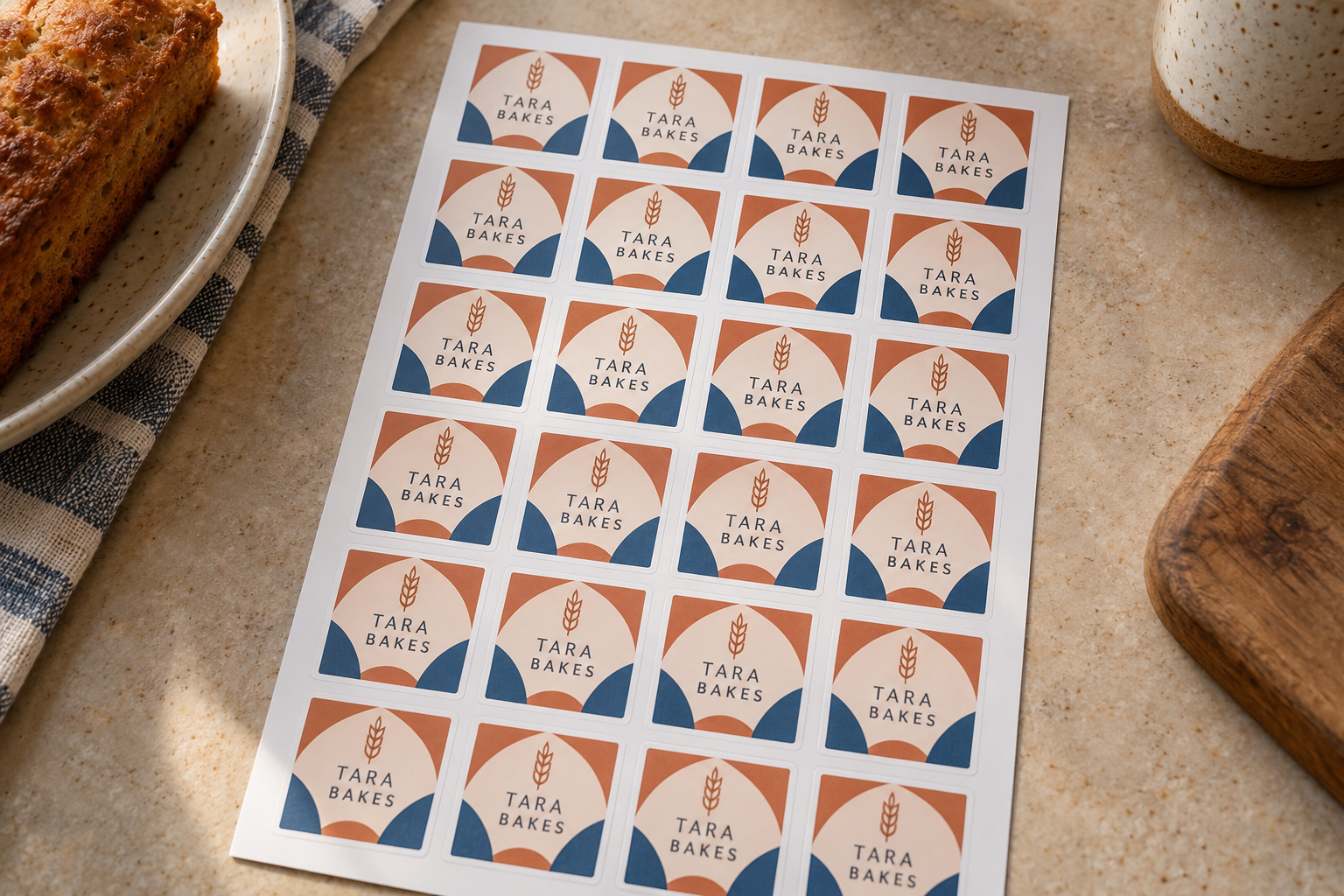
An illustrative A4 layout fits 24 square stickers measuring 40 mm each, using 5 mm sheet-edge margins and 3 mm gaps between stickers. Your actual sticker sheet quantity depends on the sheet dimensions, sticker size, spacing, and cutting layout—not the paper size alone. Use the calculation below for your order, then confirm the finished layout before treating that count as your order quantity.
Relevant Kraftix Digital specifications
The catalog starts at 25 sheets, with 4 × 6, 5 × 7, 6 × 8 and 8 × 11-inch sizes plus custom sizing. Individual sticker shapes are kiss-cut to peel separately.
The order quantity is sheets, not the number of individual stickers. The actual usable layout needs margins, gaps, cut paths and printer approval. “As many as you like” is not an unlimited count or a verified minimum spacing. Layout calculations are planning estimates until the proof confirms the count.
Source: Multiple designs on sticker sheets — current specifications and options (checked 13 October 2026). Check the chosen configuration before ordering.
- An illustrative A4 sticker sheet quantity is 24 for 40 mm squares with specified margins and gaps.
- Count finished stickers, not just sheets, when comparing custom label printing orders.
- Kraftix Digital serves small Indian brands seeking low-quantity custom sticker printing.
- Packaging stickers need space for cutting; artwork dimensions alone do not determine the sheet count.
Why this matters
Ordering sheets without checking the number of usable stickers leaves you with an unclear packaging quantity. A sheet count tells you how many backing sheets you receive; a sticker count tells you how many products you can label.
The current Kraftix Digital specifications and order options are described in the dated catalog note above. A low minimum quantity does not establish suitability for every application.
How many stickers fit on one sticker sheet?
There is no single count for every sticker sheet. An A4 sheet measures 210 mm × 297 mm, but the entire surface is not automatically available for finished stickers. Edge margins and gaps reduce the space available to the layout.
For the sheet-size reference, see Adobe’s A4 paper dimension guide. The margins and gaps below are our stated example assumptions, not an approved production specification.
The examples below use an A4 sheet with these illustrative assumptions, not a printer's product specifications:
- Sheet dimensions: 210 mm × 297 mm.
- Edge margins: 5 mm on each side.
- Usable area: 200 mm × 287 mm after subtracting those margins.
- Sticker spacing: 3 mm between adjacent stickers.
- Layout: equal-sized square stickers arranged in straight rows and columns.
These assumptions let you compare sticker sizes without changing the sheet or spacing. They are illustrative planning examples, not guaranteed production counts.
| Square sticker size | Columns × rows | Stickers per sheet | Best for | Main limitation |
|---|---|---|---|---|
| 25 mm × 25 mm | 7 × 10 | 70 | Small seals or simple symbols | Little space for detailed wording |
| 30 mm × 30 mm | 6 × 8 | 48 | Compact packaging stickers | Long text needs a larger format |
| 40 mm × 40 mm | 4 × 6 | 24 | Labels needing more design space | Fewer stickers than the smaller examples |
| 50 mm × 50 mm | 3 × 5 | 15 | Larger packaging faces | Check that the package has enough flat space |
Choose the sticker size that works on your package before choosing the sheet quantity. A higher count is not a better result if the label becomes difficult to read or does not suit the container.
Calculate your own sticker sheet quantity
For equal-sized rectangles in a straight grid, calculate columns and rows separately. Always round each result down to a whole number.
Columns = round down [(usable sheet width + gap) ÷ (sticker width + gap)].
Rows = round down [(usable sheet height + gap) ÷ (sticker height + gap)].
Stickers per sheet = columns × rows.
Adding one gap to the numerator accounts for the fact that a row needs gaps between stickers, not after the final sticker. Edge margins have already been removed from the usable dimensions.
For the 40 mm square example, the width calculation is 203 ÷ 43, giving 4 complete columns. The height calculation is 290 ÷ 43, giving 6 complete rows. Multiplying 4 columns by 6 rows gives 24 stickers per sheet.
Use this sequence when preparing your order:
- Measure the sheet. Use its actual width and height, not a size guessed from a photograph.
- Subtract margins. Remove the required edge allowance from both dimensions.
- Add spacing. Use the required gap between finished cut shapes.
- Count the grid. Calculate complete columns and rows, then multiply them.
- Confirm the layout. Check that the proposed cutting arrangement matches your calculation.
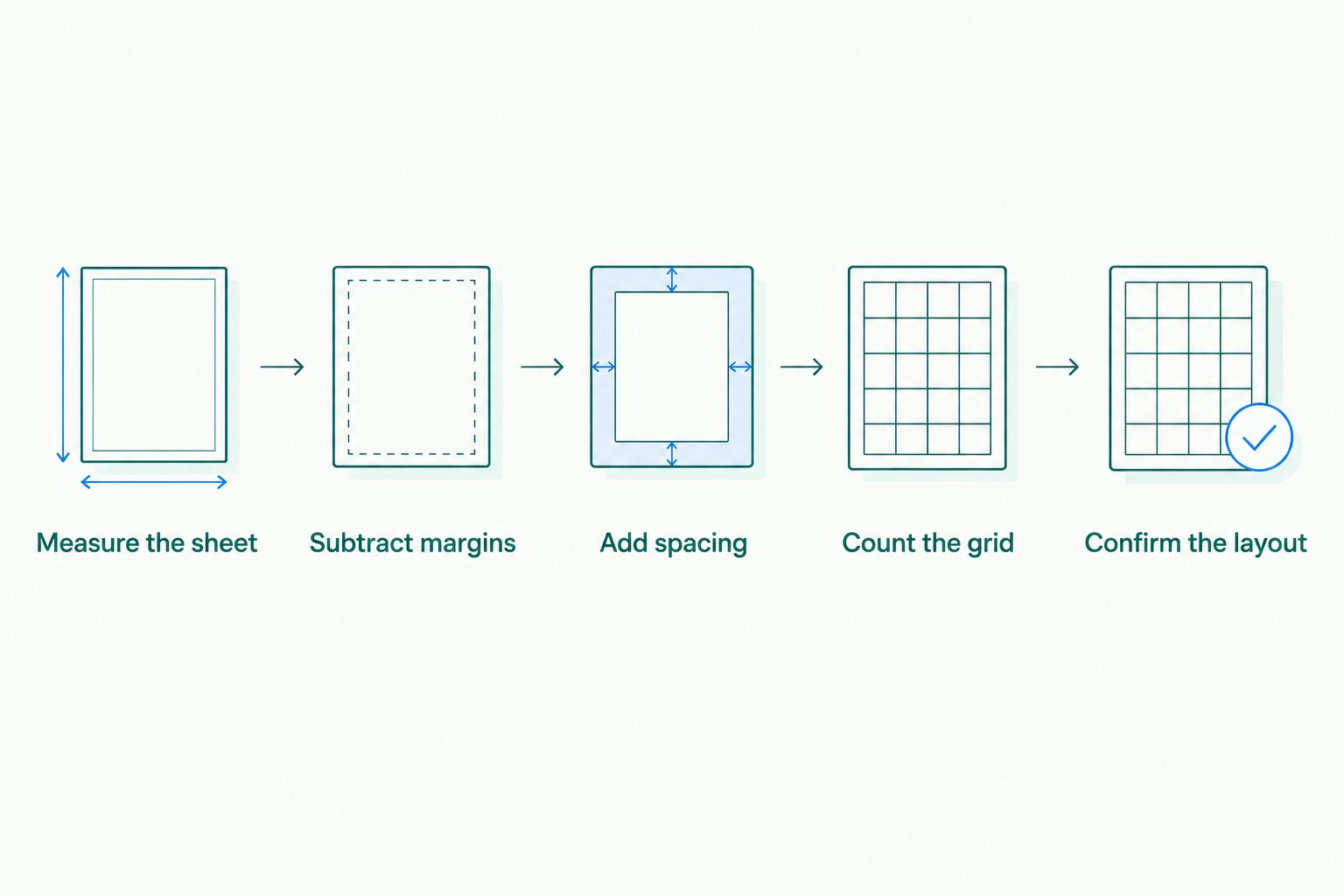
The grid calculation is a planning method, not a substitute for a production layout. Irregular shapes, mixed designs, and different cutting requirements need their own arrangement.
25 mm square stickers: 70 per illustrative A4 sheet
A 25 mm square layout fits 70 stickers per sheet under the stated assumptions: 7 columns and 10 rows. Its advantage is quantity; its limitation is the small space available for text and artwork.
Best for: simple seals and compact symbols. For a bakery box or clothing parcel, check whether the sticker only needs a short message or whether it must carry product information. Do not shrink essential wording just to achieve this count.
30 mm square stickers: 48 per illustrative A4 sheet
A 30 mm square layout fits 48 stickers per sheet under the same assumptions: 6 columns and 8 rows. You gain design space compared with the 25 mm example, while retaining a higher count than the larger square formats.
Best for: compact packaging stickers with limited wording. For a small cosmetics carton, print your artwork at its intended size and place it against the carton. This checks fit and readability together, rather than judging the design enlarged on a screen.
40 mm square stickers: 24 per illustrative A4 sheet
A 40 mm square layout fits 24 stickers per sheet under the same assumptions: 4 columns and 6 rows. The larger label gives your design more room, but the sheet yields half as many stickers as the 30 mm example.
Best for: packaging labels that need more design space. For a food pouch or skincare pack, make sure the label does not overlap a fold, closure, or strongly curved area. More printed area helps only when the package can accommodate it.
50 mm square stickers: 15 per illustrative A4 sheet
A 50 mm square layout fits 15 stickers per sheet under the same assumptions: 3 columns and 5 rows. It has the largest artwork area in this comparison and the lowest count.
Best for: larger packaging faces. Check the actual application area before selecting this format for a box, bag, or container. A large sticker that crosses a crease creates a different application problem from a smaller sticker placed on a flat surface.
Why sticker sheet quantity varies
For a print order, check these factors together. Changing any one of them can change the finished count even when the sheet size stays the same.
- Sheet dimensions: A4 is only the example used here. Calculate from the sheet dimensions specified for your order.
- Finished sticker dimensions: Larger cut shapes occupy more space. Use the finished width and height, not just the visible logo dimensions.
- Edge margins: Unused space around the sheet reduces the area available for stickers.
- Gaps between stickers: Space between cut shapes changes how many complete rows and columns fit.
- Shape and orientation: Rectangles can produce different counts when rotated; irregular shapes need a layout that follows their outline.
- Artwork bleed and cutting allowance: Artwork extending beyond the cut edge needs to be accounted for in the printer's arrangement.
Do not assume that a tightly packed artwork file is a printable cutting layout. Ask for the finished sticker count and the layout requirements together.
How do you calculate sheets for a packaging run?
Divide the required sticker count by the confirmed stickers per sheet, then round up to a whole sheet. If the result includes part of a sheet, ordering only the whole-number portion leaves you short.
As a worked example, suppose your packaging run needs 240 stickers. At the illustrative count of 24 stickers per sheet, that requires 10 sheets. If your confirmed layout instead contains 15 stickers per sheet, the same requirement needs 16 sheets.
The worked 10-sheet calculation is a quantity-planning example. Kraftix Digital’s current self-service minimum is 25 sheets; the sheets needed for a job and the minimum purchasable quantity are separate checks.
Treat that as the base quantity, not an automatic allowance for application mistakes. If you want spare labels, add your chosen spare quantity before dividing. No fixed spare percentage suits every application process.
In your order notes, separate the quantities clearly:
- Finished stickers required: the number you need to apply.
- Confirmed stickers per sheet: the approved layout count.
- Sheets required: the rounded-up result.
- Design allocation: the quantity required for each artwork version.
This keeps the order understandable when one product uses several labels or one sheet contains several designs.
Can different designs share the same sticker sheet?
24 stickers per sheet means 24 finished sticker positions in the worked example, not necessarily 24 identical designs. A mixed-design sheet needs both a total count and a count for each artwork.
For a perfume brand, different fragrances can require different quantities. A mixed sheet that divides space evenly is useful only if that distribution matches the products you need to label. Otherwise, one design runs out while another remains unused.
Write the allocation by design rather than relying on a sheet total. Keep the finished dimensions explicit, and confirm whether each design uses the same cut shape. Mixing sizes removes the simple equal-grid calculation used above.
Does changing sticker material change how many fit?
24 stickers per sheet remains the geometry result for the stated dimensions, margins, and gaps. Material selection is a separate purchase decision, although the printer's production requirements must still be checked for that material.
For your custom label printing order, state the intended application: a refrigerated beverage bottle, a skincare container, a bakery box, or a clothing parcel. Do not treat a high sheet count as evidence of water resistance or suitability for that surface.
What should you confirm before ordering?
Turn your calculation into a short specification. Include the finished sticker size, shape, artwork versions, total required stickers, and intended application surface.
For a practical check, separate these three questions: Will it fit? Can customers read it? How many usable stickers will you receive? An answer to only the last question is not enough to choose a label.
Check the cutting outline as well as the artwork. A border close to the cut edge, lettering near a corner, or a design stretched to fill the available space deserves attention before printing. Confirm the layout rather than assuming your spreadsheet count is the final production count.
Plan your custom sticker order
Choose your finished size and required sticker count before placing an online print order.
FAQ
How many 40 mm square stickers fit on an A4 sheet?
24 stickers fit in the illustrative A4 layout with 5 mm edge margins and 3 mm gaps. The arrangement has 4 columns and 6 rows; confirm the production layout before ordering.
How many 25 mm square stickers fit on an A4 sheet?
70 stickers fit in the illustrative A4 layout with 5 mm edge margins and 3 mm gaps. That count uses 7 columns and 10 rows of equal-sized squares.
Is sticker sheet quantity the same as sticker quantity?
No, sticker sheet quantity counts backing sheets, while sticker quantity counts the individual finished stickers. Multiply sheets by the confirmed stickers per sheet to calculate the total.
Can I calculate the count using only sticker size?
No, sticker size alone does not determine the count. You also need sheet dimensions, edge margins, spacing, and the cutting arrangement.
Will round stickers fit in the same quantity as square stickers?
Round stickers with the same outside width fit the same count when placed in the same straight grid. A staggered arrangement needs a separate layout calculation.
Should I choose smaller stickers to get more per sheet?
Choose smaller stickers only when they still fit the package and keep the artwork readable. A larger sheet yield does not compensate for an unsuitable label.
How do I calculate the number of sheets to order?
Divide your required finished sticker count by the confirmed stickers per sheet and round up. Include any spare stickers you want in the required count before calculating.
Before you approve production
Test the label on the package before optimising the sheet. Print a paper mock-up at the intended size, cut around its outline, and place it on the actual bottle, box, pouch, or bag.
That simple check reveals whether the label crosses a fold, crowds a closure, or needs more room for readable wording. Settle the package fit first; calculate the sheet count second.